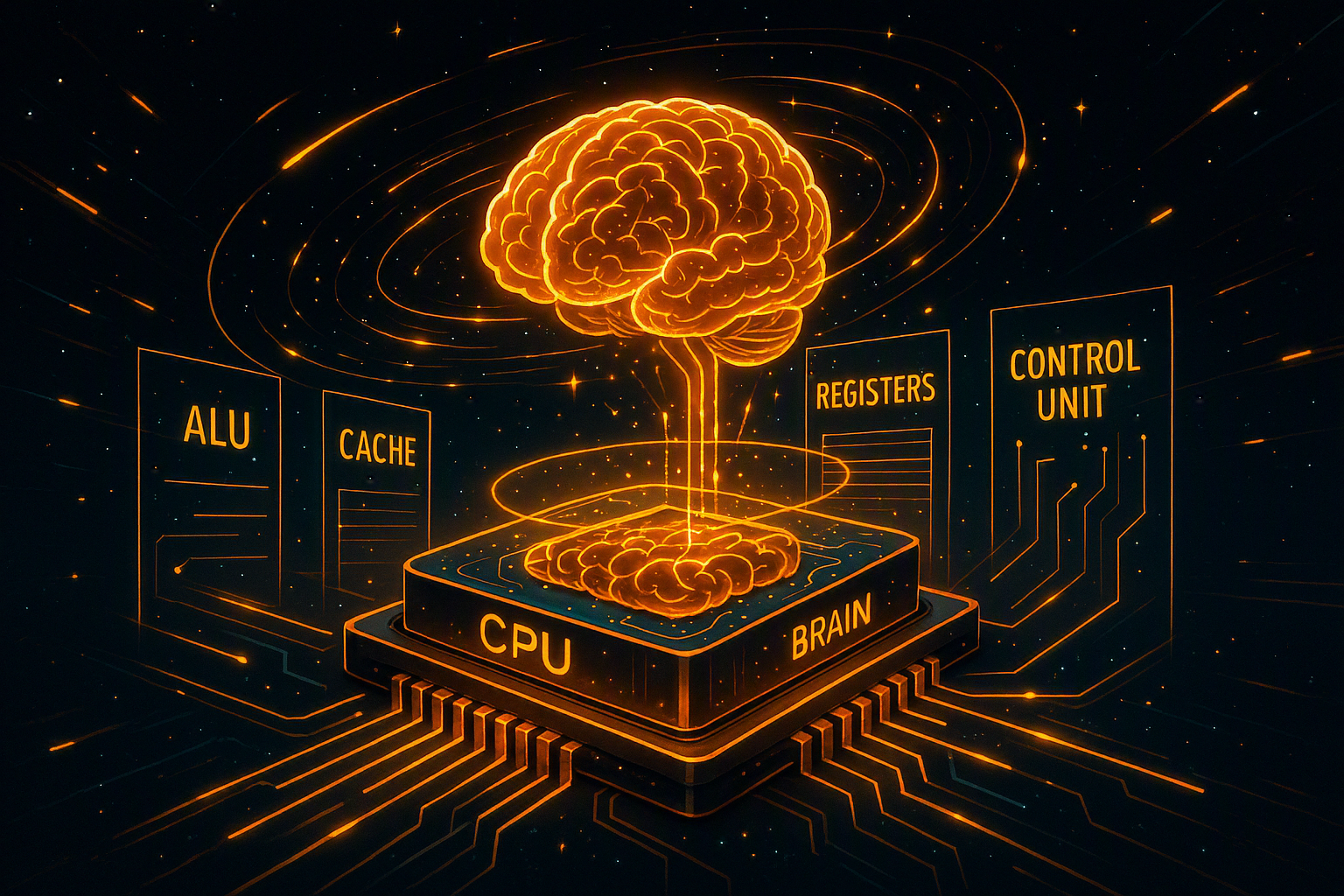
If you strip away all the fancy marketing terms, the CPU is still the same thing at its core: a decision engine that turns human instructions into electrical reality. But the real magic is not just what it does, but how incredibly structured and layered it does it.
Let’s go deeper into every section and actually understand what is happening under the hood. ⚙️
🧩 1. What Exactly Is a CPU? (The Real Definition Behind the Buzzword)
A CPU (Central Processing Unit) is the component that executes instructions coming from software. These instructions are extremely simple at machine level—things like:
Move data
Compare values
Add numbers
Jump to another instruction
But when billions of these tiny operations are combined, they become:
Operating systems
Games
Browsers
AI models
🔬 The Hidden Reality
Everything you see on a screen is eventually broken down into:
binary instructions (0s and 1s)
The CPU doesn’t “understand” apps. It only understands:
electrical signals
logic gates
instruction sets (ISA like x86 or ARM)
💡 In simple terms:
The CPU is like a translator that only speaks one language—but that language is powerful enough to rebuild the entire digital world.
🔁 2. Fetch–Decode–Execute Cycle (The Eternal Loop of Life)
Every CPU runs an endless loop:
📥 Fetch
The CPU retrieves an instruction from RAM using a memory address.
👉 Think of it as:
“Go to page 45 and take the next sentence.”
🧠 Decode
The CPU interprets what the instruction means.
Is it math?
Is it data movement?
Is it a decision branch?
👉 Think of it as:
“Okay, this sentence means: add two numbers.”
⚡ Execute
The CPU performs the actual operation using internal units (ALU, registers, etc.)
👉 Think of it as:
“Now solve it and write the result.”
🔄 Why it matters
This cycle happens:
👉 billions of times per second
So the CPU is not doing “tasks” one by one—it is repeating micro-decisions at extreme speed.
⚙️ 3. Inside the CPU: The Hidden Team Working Together
A CPU is not one brain—it is a team of specialized micro-units.
➗ 3.1 ALU (Arithmetic Logic Unit) – The Problem Solver
The ALU is responsible for all calculations and logic.
It handles:
Addition, subtraction, multiplication
Comparisons (>, <, ==)
Boolean logic (AND, OR, NOT)
💡 Real-world analogy:
It’s the “mathematics department” of the CPU.
👉 Every decision like:
“If health > 0, continue game”
is processed here.
🎛️ 3.2 Control Unit – The Commander
The Control Unit is like the CPU’s manager.
It:
Decodes instructions
Sends signals to ALU, memory, registers
Controls timing and execution order
💡 Analogy:
A conductor in an orchestra:
violins = ALU
drums = memory access
rhythm = clock cycles
Without it, everything would be chaos.
📌 3.3 Registers – Ultra-Fast Working Notes
Registers are tiny storage spaces inside the CPU.
They:
Hold immediate values
Store intermediate results
Provide instant access (faster than RAM)
💡 Analogy:
Sticky notes on your desk while solving a problem.
⚠️ Important:
Registers are extremely fast but extremely limited in size.
⚡ 3.4 Cache Memory – The Smart Shortcut System
Cache sits between CPU and RAM.
Levels:
L1 Cache → fastest, smallest
L2 Cache → medium
L3 Cache → larger, shared
Why it exists:
RAM is slow compared to CPU. Without cache:
👉 CPU would constantly wait
💡 Analogy:
Instead of going to the supermarket every time, you keep frequently used items in your fridge.
⏱️ 4. Clock Speed: The Misunderstood Performance Metric
Clock speed (GHz) measures how many cycles a CPU performs per second.
Example:
3.5 GHz = 3.5 billion cycles/sec
❗ Common misconception:
Higher GHz does NOT always mean faster CPU.
Real performance depends on:
Instructions per cycle (IPC)
Architecture efficiency
Cache design
Core optimization
💡 Analogy:
One smart worker can outperform three slow workers.
👥 5. Multi-Core Architecture: From Solo Worker to Team System
Modern CPUs contain multiple cores.
Examples:
2 cores → basic multitasking
4–8 cores → gaming & productivity
16+ cores → professional workloads
64+ cores → servers & AI systems
What it enables:
Parallel processing
Faster multitasking
Efficient workload distribution
💡 Analogy:
Instead of one chef cooking everything, a full kitchen team works together.
🔥 6. Why CPUs Don’t Just Overheat and Die
CPUs generate massive heat because billions of transistors switch every second.
Protection systems:
🌡️ Thermal Throttling
If temperature rises:
👉 CPU automatically reduces speed
⚡ Power Management
Adjusts voltage depending on workload
🧊 Cooling dependency
Air cooling
Liquid cooling
Advanced server cooling systems
💡 CPU behavior:
“I will slow down to survive.” 😅
🎮 7. CPU in Real-World Applications
🎮 Gaming
CPU handles:
NPC behavior
Physics engine
Game logic
🧠 AI Systems
CPU:
Prepares data
Coordinates GPU workloads
Manages training pipelines
🌐 Servers
CPU manages:
Thousands of requests
Databases
Network traffic
Virtual machines
💡 Without CPU:
No internet, no apps, no digital world.
🧪 8. Fun but Real Facts About CPUs
Modern CPUs have billions of transistors
Transistor size is now smaller than viruses
Your phone CPU is more powerful than 1990s supercomputers
A CPU can execute billions of instructions in a single second
🧭 Final Thoughts: The Invisible Brain of Everything
The CPU is not just a chip.
It is:
A decision engine
A coordination system
A real-time computation factory
Every click, swipe, and command you make passes through it.
💡 In short:
The CPU is the silent architect of the digital universe—always working, never sleeping, never stopping.